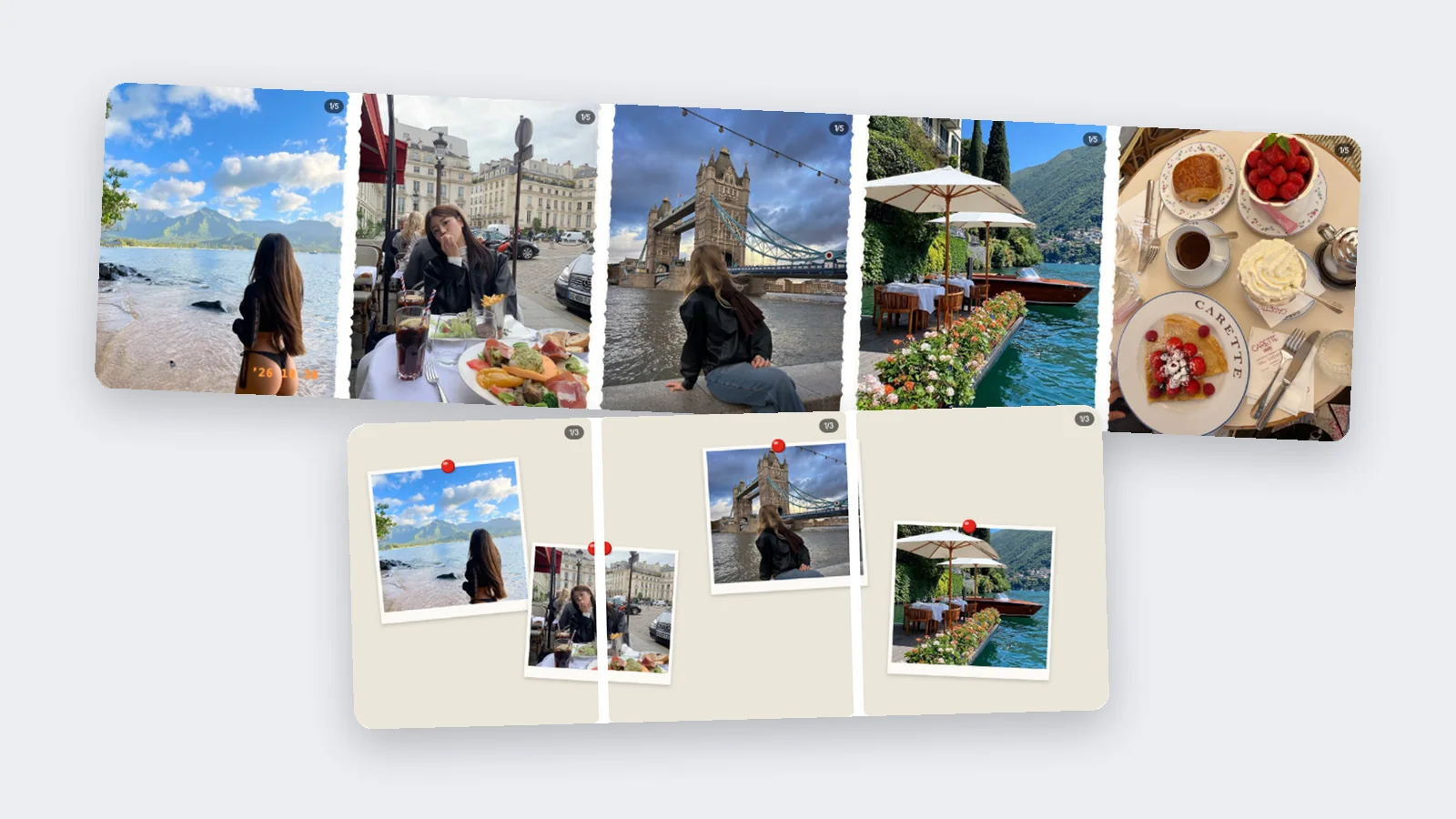
November 25, 2026 · 15 min read
Photo Dump: What It Means, Ideas and How to Build One That Flows
What a photo dump is, how to pick and order the photos, choose a cover, and 20+ photo dump ideas and template styles for your next Instagram carousel.
A photo dump is an Instagram carousel of loosely connected photos from one stretch of time, posted together with a light touch instead of as a single polished shot. Picture ten frames from a weekend in Lisbon: a pastel de nata on a paper napkin, a blurry yellow tram, your friend squinting at a map, the sunset from a miradouro. Nothing in it is a masterpiece on its own, but together it says exactly what the weekend felt like.
This guide covers what the term actually means, how to choose and order the photos, what to put on the cover, more than twenty photo dump ideas, and the template styles that make a dump look intentional without looking staged.
What is a photo dump? The meaning behind the format
The photo dump meaning is right there in the name: you dump a batch of photos into one post. On Instagram that means a carousel, which holds up to 20 photos or videos that people swipe through one at a time. The photos usually share a time frame, like a week, a month or a trip, rather than a single subject.
What separates a dump from a regular album is the tone. It mixes the nice shots with the in-between ones: the receipt from dinner, a mirror selfie in the hotel lift, the dog asleep on your half-packed suitcase. The goal is to show what the period felt like, not to present a portfolio.
The format caught on partly as a reaction against the heavily edited, one-perfect-photo feed. A dump lets you post more often and more honestly, because no single frame has to carry the whole post. That said, the good ones are rarely as random as they look, and that gap between casual and careless is what most of this guide is about.
Photo dump vs. a curated carousel
A curated carousel tells one story with a clear start and finish: a recipe, a before-and-after renovation, eight frames from a single shoot with matching edits. A photo dump is looser. What connects the slides is the time period or the mood, and the subjects can jump from a plate of food to a stranger's dog to a sky.
In practice the line blurs. A September recap with a consistent warm edit and a deliberate order is still a dump if it collects the month's odds and ends. A quick test: if a stranger would need the caption to understand why these photos are together, you're making a dump.
Feed or stories?
Most dumps live on the main feed as carousels, because swiping is built in and the post stays on your profile. Some people post a dump as a run of stories instead, which suits a single day but disappears after 24 hours unless you save it to a highlight. Because a feed dump sits on your grid for good, the cover matters a lot more there.
How to make a photo dump, step by step
This is the workflow I use for any dump, from a cousin's wedding to a month where nothing much happened. Once you've done it twice it takes about twenty minutes, most of which is cutting photos.
- 1Set the time frame first. Pick the week, month or trip, open your camera roll and heart every photo from that window you'd even consider. Aim for 25 to 40 candidates; it's easier to cut than to hunt later.
- 2Cut down to 8 to 12. Fewer than six reads like a normal post, and past fifteen people tend to drift off halfway. Remove near-duplicates without mercy: keep one of the five sunset shots, not three.
- 3Check the mix. Count your wide shots, close-ups, faces, food, objects and photos with text in them (signs, tickets, notes). If eight of ten are faces, swap a few for details.
- 4Choose the cover. This is the one photo that has to make someone stop scrolling, so give it its own decision.
- 5Order the rest for rhythm: alternate busy and calm, close and far, warm and cool.
- 6Pick one format and stick to it. Instagram applies the first slide's shape to every slide, so decide between 4:5 portrait (1080×1350) and 1:1 square (1080×1080) before you crop anything.
- 7Apply one light, consistent edit, or one deliberate style such as a disposable-camera look. Five different filters is the fastest way to tip from casual into messy.
- 8Write a short caption, post, and resist the urge to archive and repost because one slide bugs you.
Choosing photos for a photo dump: good, messy and in-between
The most common mistake isn't picking bad photos. It's picking only the best ones. A dump made entirely of your strongest shots looks like a portfolio in a disguise, and people can tell.
A ratio that works well: roughly a third strong photos (a great view, a flattering portrait), a third details (a coffee cup, a handwritten menu, your trainers on cobblestones) and a third imperfect moments (motion blur, someone mid-laugh, a shot through a rainy bus window). For a ten-slide Lisbon dump, that's three viewpoints and portraits, four details and three messy frames.
- Detail shots: hands, food from above, textures, labels, a key on a keyring, the corner of a bookshop shelf.
- Wide shots: the street, the beach, the room you stayed in. One or two give the viewer a sense of place so the details make sense.
- People: candid beats posed. A friend looking away from the camera usually lands better than another group smile.
- Text in the frame: shop signs, a chalkboard menu, a note on the fridge, a train departure board. These act like tiny captions inside the carousel.
- One wildcard: a screenshot of a funny message, a pigeon that walked into your shot, the dog wearing a sock. Almost every memorable dump has one frame that makes people laugh.
Before you commit, swipe through the selection full screen on your phone. If two photos look nearly identical at that size, drop one. Your followers see the carousel one slide at a time at exactly that size, not as a neat grid of thumbnails.
Also check for photos you'd regret. A dump's relaxed vibe makes it easy to slip in a shot where a friend looks half-asleep. If someone else is clearly the subject of a messy frame, send it to them before you post it.
How to order a photo dump so people keep swiping
Think of the carousel as a short playlist. You want a strong opener, a second track that makes people commit, a quieter middle, and something memorable at the end. The last slide is what people see right before they decide whether to swipe back, comment or move on.
- Slide 1: the cover, your clearest and most striking frame.
- Slide 2: a contrast. If the cover is a wide landscape, go close; if it's a portrait, show the place.
- Slides 3 to 7: alternate busy and calm. A crowded market, then a single peach. A group shot, then an empty chair.
- Slides 8 and 9: build back up with a strong person or place.
- Last slide: a punchline or a soft landing, such as the wildcard photo, a quiet sunset, or a sticky note that says 'that's it'.
Skip strict chronological order unless the timeline is the story, like a one-photo-per-day trip. Real days repeat themselves, and three breakfasts in a row drag. Shuffle by look instead. If the order still feels off, try swapping slides 2 and 3; that small change fixes more carousels than you'd expect.
Colour is your other ordering tool. Two warm photos followed by a cool one feels like a gentle shift. Dropping a neon-lit bar shot between two soft daylight frames creates a jolt, which is fun once and tiring if it happens every other slide.
Photo dump cover: what to put on slide one
Your photo dump cover has two jobs: stopping the scroll in the feed and representing the whole post on your profile grid. Those pull in slightly different directions, so it helps to know how each view crops.
In the feed, a 4:5 cover shows at full height. On your profile, Instagram displays posts as a 3:4 crop, which trims a sliver off the top and bottom of a 4:5 image. Keep faces, the horizon line you care about, and any title text in the middle band of the frame so the grid version doesn't chop them.
Cover options that work
- One bold photo: a portrait in good light or a strong landscape. The simplest choice and often the right one.
- A mini collage: three or four of the best shots arranged on one slide, so the cover previews what's inside.
- A title card: a photo with a short word or date on it, like 'august' or 'lisbon, 3 days', in a handwriting or typewriter font.
- A cutout: a person or pet lifted off the background with a white sticker edge, placed on a plain colour or paper texture.
- A teaser that crosses the edge: a photo that starts on slide one and continues onto slide two, so the only way to see all of it is to swipe.
The edge-crossing teaser is my favourite for travel dumps. If a coastline panorama starts on the cover and clearly runs off the right edge, people swipe almost by reflex. It only works if the image lines up perfectly at the join, which is fiddly by hand; this explainer on a seamless carousel for Instagram walks through the technique.
Whatever you choose, avoid a cover that only makes sense after swiping, like a tight close-up of a fork. It's a great slide five, but as slide one it gives a stranger no reason to stop.
Photo dump ideas: 24 themes for your next post
When your camera roll feels like noise, a theme gives the dump a backbone. These photo dump ideas are grouped by occasion, each with a hint about what to include so it doesn't become a random pile.
Everyday and monthly
- Month recap: at least one photo from each week, plus the small wins. Put the month's name on the cover.
- Little things: details only, no faces. Your coffee, a book page, a cat paw, tulips from the market.
- Weekend at home: slow mornings, a half-finished puzzle, Sunday cooking, the blanket on the sofa.
- Commute dump: the view from the train, the station sign, a stranger's excellent coat, rain on the window.
- Café crawl: one drink per café, plus a window seat and the menu board from each stop.
- What I ate this week: every plate shot from the same angle so it reads as a series.
- Desk and work: your setup, a scribbled whiteboard, the 4pm snack. Good for students and freelancers.
- Camera roll clear-out: the leftovers you never posted, openly labelled as exactly that.
Travel
- City break: a weekend in Lisbon or Copenhagen mixing viewpoints, food, doors and tickets.
- Road trip: petrol station snacks, the paper map, the dashboard view, a field you pulled over for.
- Beach week: sandy feet, a book face down, a wet swimsuit drying on the balcony rail.
- Camping or festival: the tent, muddy boots, the wristband, the campfire after dark.
- One photo per day: dated and in order, one of the few cases where chronology helps.
- Travel days: the boarding pass, the plane window, the first coffee on arrival.
People and events
- A cousin's wedding: the dress detail, the cake, a blurry dance floor, your shoes kicked off at midnight.
- Birthday: candles, the wrapping paper pile, friends mid-laugh, the leftover cake the next morning.
- Friendship dump: one photo with each friend in the group, posted when someone moves away.
- Pet dump: the dog in every room of the house, or the cat in ten different sleeping spots.
- Concert night: the ticket, the queue, the stage from far back, the chips on the walk home.
- Family visit: the kitchen table, your grandparents' hands, the garden, the biscuit tin.
Seasonal and milestones
- Summer recap: ice lollies, tan lines, a desk fan, long evenings outside.
- Autumn dump: leaves, knitwear, the first soup of the season, wet pavement with reflections.
- Year in review: one photo per month, twelve slides plus a cover.
- Moving day: boxes, the empty room, the first takeaway eaten on the floor.
Several of these map neatly onto ready-made layouts. Month journals, recap journals, camp diaries and photo dumps are all template categories in the seamless app, which is handy when you have the photos but no idea how to arrange them.
Photo dump template styles that still look casual
A photo dump template is a ready-made layout that gives your photos a background, frames and placement so the carousel looks put together. The trick is picking a style that adds character without fighting the offhand feeling that makes a dump work. These are the ones I reach for most.
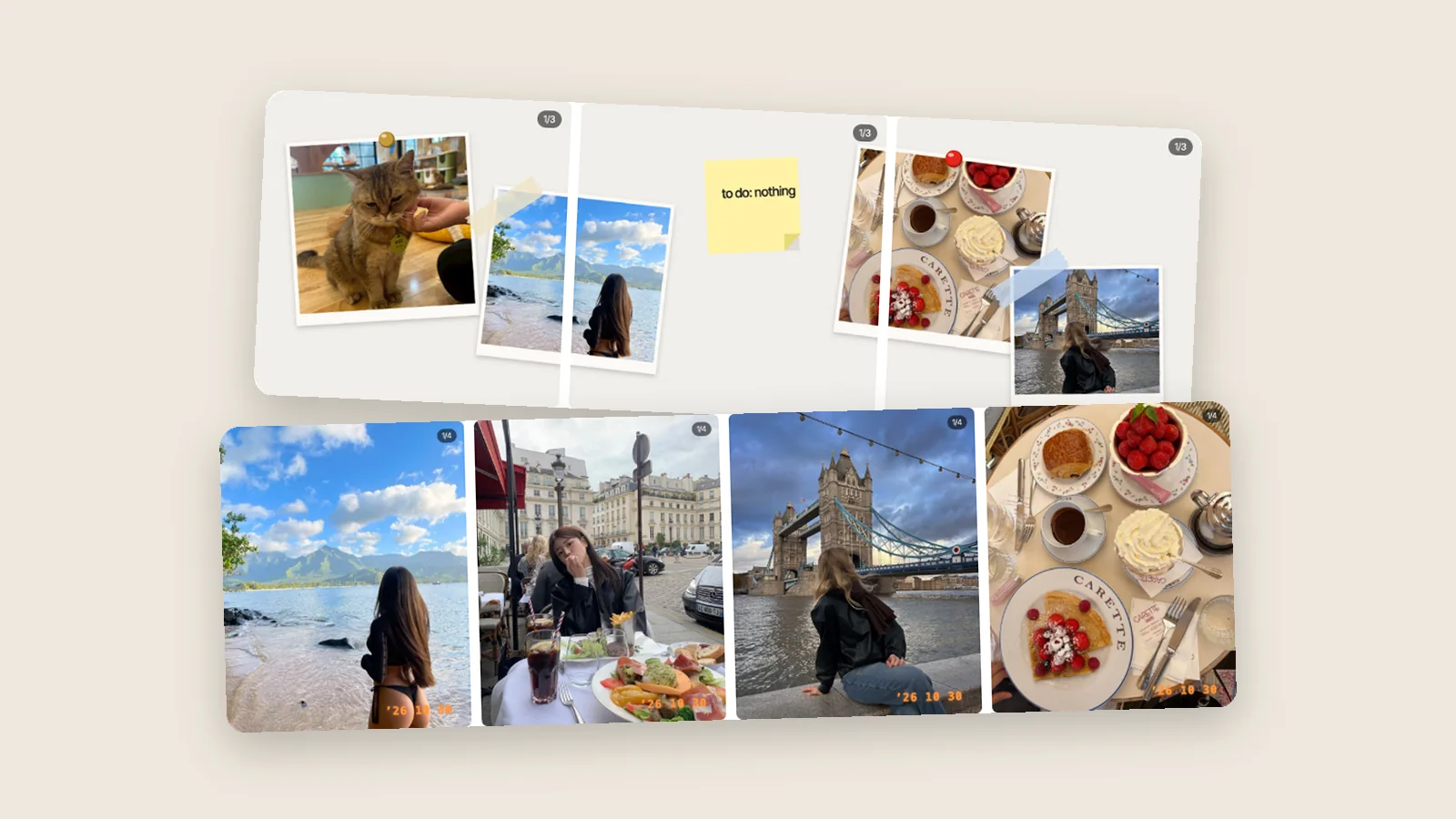
Disposable camera
Full-bleed photos with a date stamp in the corner, in that orange digital-clock style. It suits travel and summer dumps because it ties mixed photos together as if they came off one roll of film. Use the real dates; a stamp that says July on a photo of bare winter trees looks off to anyone paying attention.
Fridge door
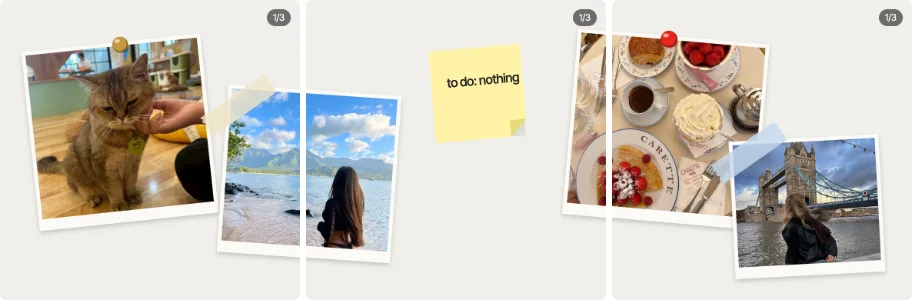
Photos taped to a plain background as if stuck on a fridge, with a sticky note or two. This works for home, family and everyday dumps. A short line on the note does the job of a caption right inside the carousel, and it's often the slide people screenshot.
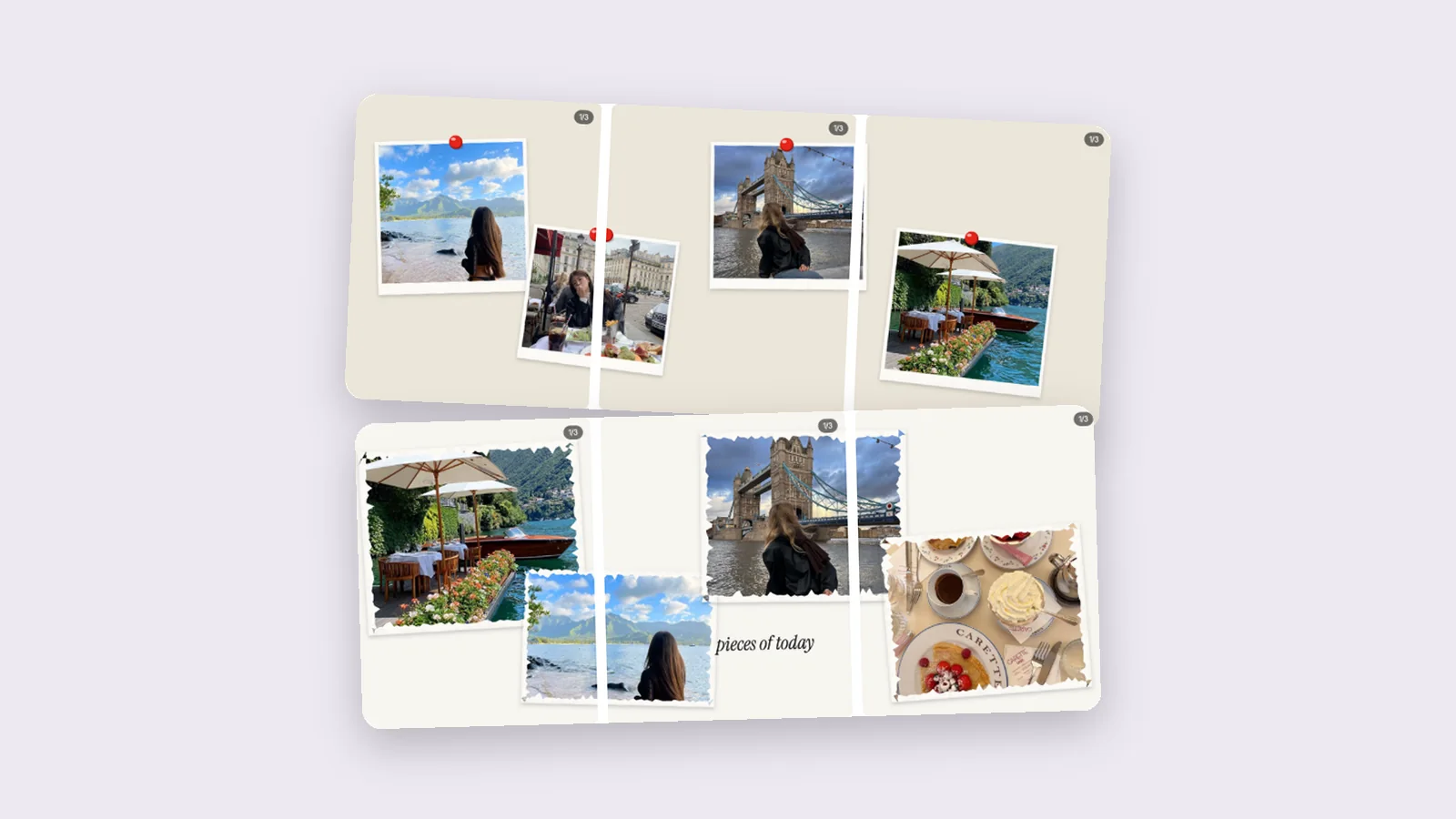
Torn pieces
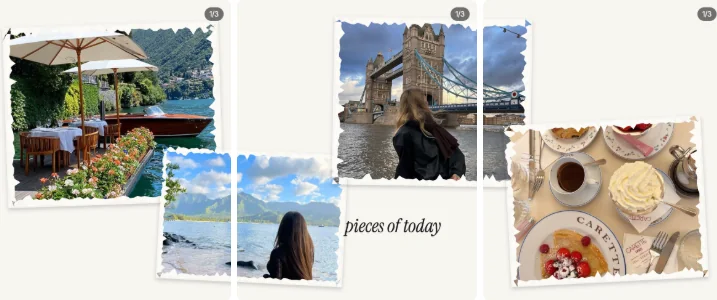
Photos with ripped paper edges, sometimes overlapping, plus a small handwritten note. Torn edges hide awkward crops, so this style is forgiving when your photos come in different shapes. It suits quieter dumps: an end-of-summer post, a slow rainy week, the last days in a flat before moving.
Washi journal and pin board
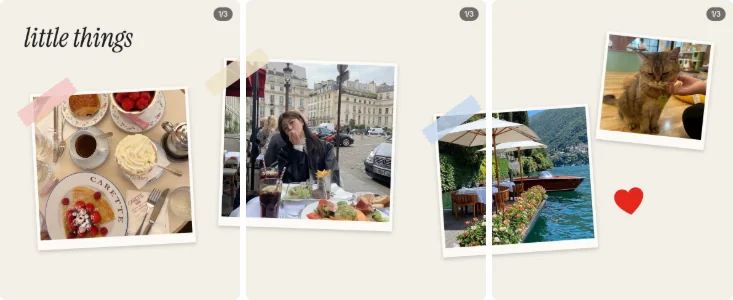
Pastel washi tape and a handwritten title like 'little things' turn a dump into something close to a scrapbook page. A pin board look, with polaroid frames and red pins on a beige background, does the same for travel. Both carry more decoration, so put fewer photos on each slide, two or three, and leave breathing room. If this direction appeals, these scrapbook ideas take it further.
Panorama from a blank canvas
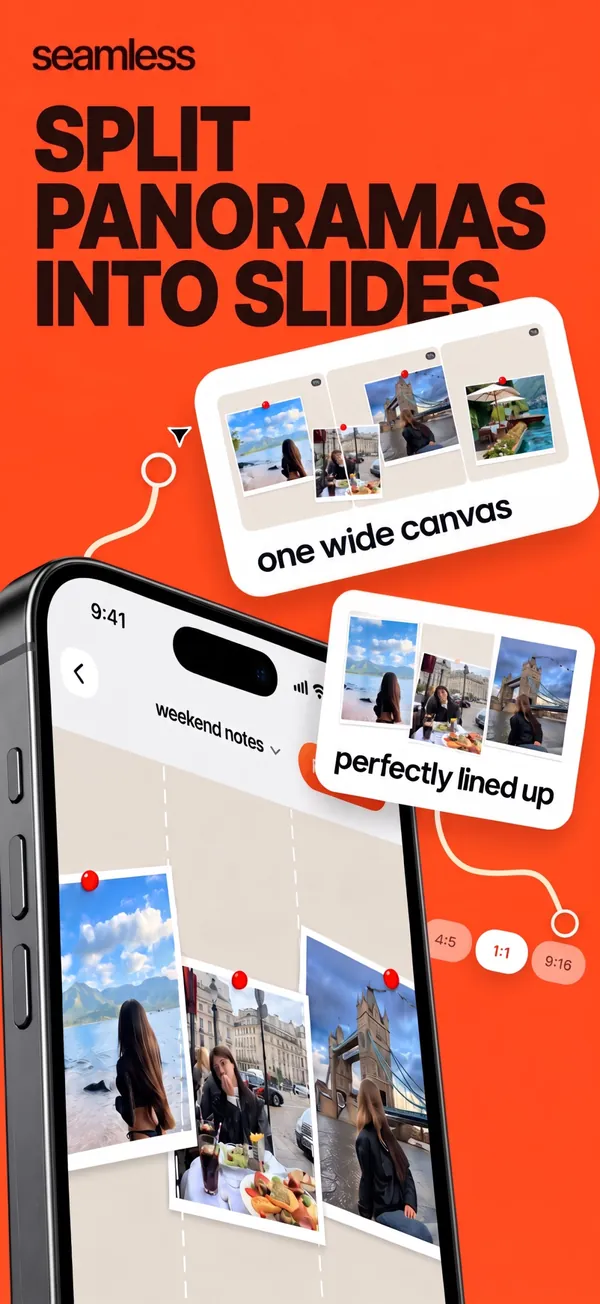
Instead of designing each slide separately, you lay full photos side by side on one long canvas with torn seams or slight overlaps between them, then split it into slides. When someone swipes, the photos glide past like a filmstrip. This is the most designed-looking option, so pair it with unpolished photos to keep the dump spirit.
How to make a photo dump in seamless
You can make a perfectly good dump inside Instagram by selecting multiple photos. A dedicated app earns its place when you want photos, tape or text to cross from one slide to the next, or when you'd rather start from a template than a blank grid. That's what seamless for iPhone is built around.
In seamless you design on one wide canvas that spans all your slides. You place photos, drag them across the edges between slides, add torn edges, tape, pins or clothespins, then preview the full swipe before you export. Every slide saves to Photos as a JPG, in order and without a watermark, so in Instagram you just select them in sequence.
- 1Open seamless and pick a photo dump template, or start from a blank canvas in 4:5 portrait, 1:1 square or 9:16 story.
- 2Add photos from your library. The template places them; crop each one in the editor until the subject sits where you want it.
- 3For an edge-crossing cover, drag one photo so it straddles the line between slide one and slide two.
- 4Decorate lightly: a date stamp, a strip of washi tape, one sticker. There are 50+ stickers and doodles, but two usually look better than ten.
- 5Add a title with one of the 20+ fonts, such as handwriting for a journal, typewriter for a recap, or cut-out ransom letters for something playful. Text can also follow a curve if you want it to arc over a photo.
- 6Preview the swipe, then export. The slides land in Photos in order, ready to post.
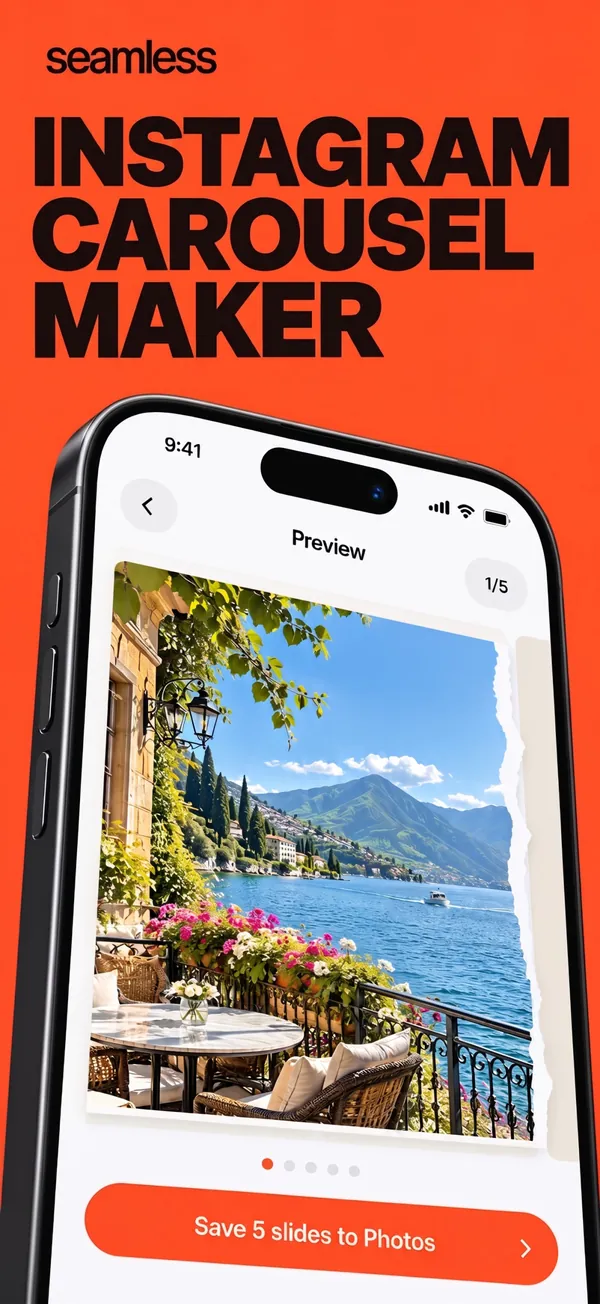
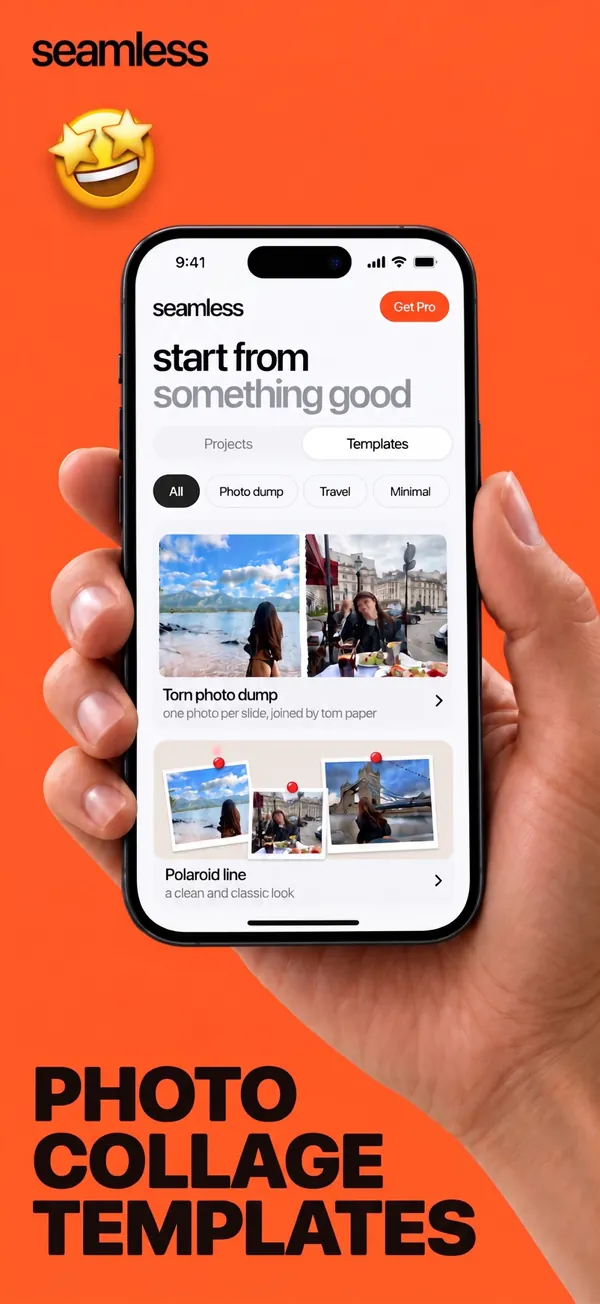
The free version covers up to 3 projects with up to 5 slides each, 10 templates, core fonts and frames, and export without a watermark, which is enough for a short dump. Seamless Pro adds up to 20 slides, unlimited projects, every template, all fonts and frames, and one-tap cutouts (iOS 17 or later) that lift a person or pet off the background with a white sticker edge. Prices are shown in the app. It works offline, needs no account, and your photos stay on your phone; if you want to try it on your next weekend dump, download seamless from the App Store.
IG photo dump size and format
For an IG photo dump on the feed, 4:5 portrait at 1080×1350 is the safe default because it takes up the most screen of the feed formats. Square 1:1 at 1080×1080 suits dumps heavy on food and flat lays. The wide 1.91:1 format (1080×566) rarely works for a dump; each slide looks small on a phone.
Remember that the first slide's shape applies to every slide. If your cover is square, the tall portrait you put on slide six gets cropped to square too, often right through someone's forehead. Decide the format before you crop anything. The Instagram carousel size guide covers the details, including where to keep text.
Story dumps use 9:16 at 1080×1920. Keep titles and faces away from the very top and bottom, where your profile name and the reply bar sit on screen. A story version is a nice home for the extras that didn't make the feed cut.
Other tools worth knowing
If you only need a quick grid, Layout in the Instagram story camera combines a few photos into one frame. Google Photos can build simple collages, and Canva has a large library of templates. The iPhone Shortcuts app can batch-resize photos if you set it up. None of them is built around splitting one design across carousel slides, though you can fake it in Canva with careful measuring.
Captions for a photo dump
A dump caption should be short, because the photos already tell the story. One line is plenty: the month, the place, an inside joke, or a list. A list caption such as 'coffee, rain, one good sunset' mirrors the carousel nicely.
Numbering is another option: '1. the view 2. the reason we were late 3. the reason we stayed', matching each slide. It gives people a reason to swipe and read at the same time. For more lines to borrow, see these photo dump captions.
Photo dump mistakes to avoid
- Too many slides. Twenty is the limit, not the target; most dumps land better at 8 to 12.
- Five near-identical selfies. Keep the best one and let the others go.
- Mixed shapes with no plan. Tall photos in a square carousel get cropped, usually badly.
- Clashing edits. One filter or edit style across the whole post keeps it coherent.
- Decoration overload. If stickers cover more than a small corner of a photo, they're competing with it.
- A weak cover. Slide one is the only slide most people see before deciding whether to swipe.
- Posting weeks later without context. A summer dump in November is fine; just say so in the caption.
The best photo dumps feel offhand but are quietly edited: a clear cover, a mix of wide, close and messy, a rhythm that keeps the thumb moving, and one funny frame near the end. Start with last weekend, pick ten photos, put them in order, and post before you overthink it.
Questions people ask
What does photo dump mean on Instagram?+
It means a carousel of several loosely related photos from a period of time, like a trip, a week or a month, posted together in one go. The mood is relaxed and mixes good shots with candid, imperfect ones. The time frame connects the photos rather than a single subject.
How many photos should a photo dump have?+
Instagram allows up to 20 photos or videos in a carousel, but 8 to 12 is the range that usually works best. Fewer than six feels like a regular post, and much past fifteen many people stop swiping. Cut near-duplicates first, then trim whatever feels like filler.
Should a photo dump be in chronological order?+
Usually not. Ordering by look, alternating close and wide, busy and calm, keeps people swiping better than a strict timeline. The exception is a one-photo-per-day trip or a year in review, where the dates are the point.
What should the first photo in a photo dump be?+
Your clearest, most striking photo, something a stranger would stop for without context. A bold portrait, a strong landscape, a mini collage or a photo that visibly continues onto slide two all work. Keep the key subject in the centre so the 3:4 profile grid crop doesn't cut it off.
Can I make a photo dump template for free?+
Yes. Instagram's own multi-photo upload and Layout in the story camera cost nothing, and Google Photos and Canva both have free collage options. The free version of seamless also includes 10 templates, up to 3 projects with 5 slides each, and exports without a watermark.
Do all photos in a photo dump need the same edit?+
They don't need to match perfectly, but they should feel related. One light preset across everything, or one deliberate style like a disposable-camera look, keeps a varied set of photos from looking chaotic. Avoid mixing several strong filters in one carousel.
How do I make photos flow across slides in a photo dump?+
Place a photo so it sits over the edge between two slides, then split the design into separate images that line up exactly. Doing this by hand means measuring to the pixel at 1080 pixels per slide. Apps that design on one wide canvas, such as seamless, handle the split for you and export each slide in order.